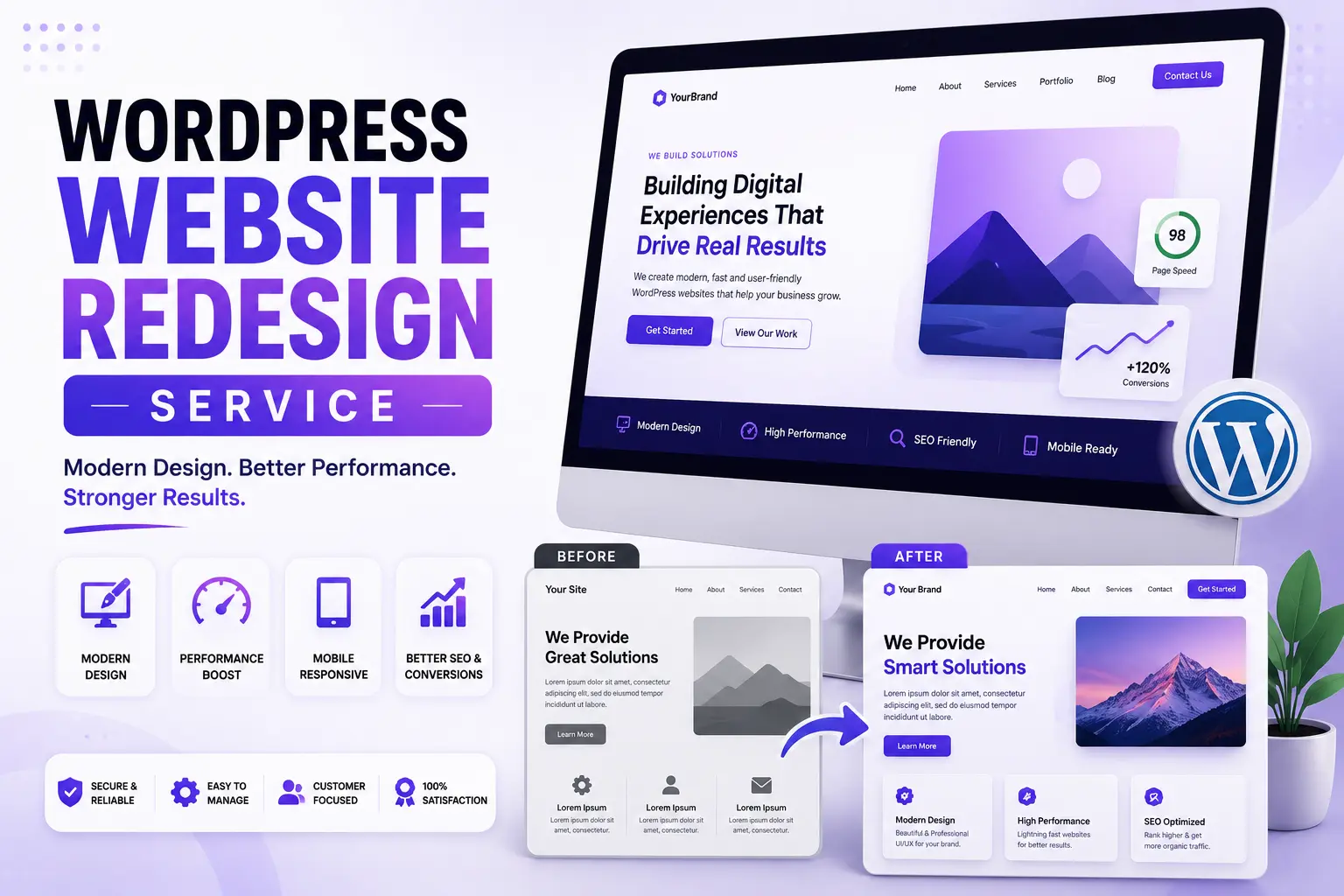
Your website looked modern when it launched. The layout felt fresh, the colors matched your brand, and your team was excited to share it with customers. Fast forward three years.
Your competitors have improved their websites. Customer expectations have changed. Mobile traffic has increased. Google has updated its search algorithms. And suddenly, the same website that once felt modern is no longer helping your business grow. This happens more often than most business owners realize.
Many companies assume a website redesign is about giving their site a new look. In reality, the goal is much bigger.
A successful redesign should improve how people discover, understand, and trust your business. It should remove friction, strengthen your online presence, and increase the likelihood that visitors become customers. At Pixiio, we believe a redesign is a business decision, not just a design project.
This guide explains when you should redesign your WordPress website, what to avoid, and how to ensure your investment delivers measurable results.
What Is a WordPress Website Redesign?
A WordPress website redesign is the process of improving your existing website's:
- User experience (UX)
- Visual design (UI)
- Content structure
- Performance
- SEO
- Mobile usability
- Conversion strategy
- Technical foundation
A redesign is not simply replacing colors or changing fonts. It's about making the website work better for your customers and your business.
Signs Your WordPress Website Needs a Redesign
Many businesses continue using websites that are quietly costing them leads every day. Here are some common warning signs.
Your Website Looks Outdated
Visitors compare your business to competitors within seconds. If your website feels old-fashioned, they may assume your business is too.
You're Getting Traffic But Few Leads
Traffic alone doesn't grow a business. If people visit your website but rarely contact you, request a quote, or book a consultation, your website may have conversion problems rather than traffic problems.
It's Difficult to Update
Your website should help your team, not slow them down. If publishing a blog, updating services, or changing content feels frustrating, your CMS or page structure may need improvement.
The Website Is Slow
Page speed directly affects:
- User experience
- Search rankings
- Bounce rate
- Conversion rate
Visitors rarely wait for slow websites.
Your Business Has Changed
Perhaps you've:
- Added new services
- Changed your target audience
- Repositioned your brand
- Expanded into new markets
If your website still reflects the old version of your business, a redesign can help align your online presence with where your company is today.
Why Businesses Choose WordPress for Website Redesigns
WordPress remains one of the world's most trusted content management systems because it offers flexibility, scalability, and long-term control. Benefits include:
- Easy content management
- Excellent SEO capabilities
- Thousands of integrations
- Flexible design options
- Strong security ecosystem
- Large developer community
- Scalability as your business grows
When paired with a strategic redesign, WordPress becomes a powerful platform for long-term digital growth.
Redesign vs. Rebuild: What's the Difference?
These terms are often used interchangeably, but they aren't the same.
| Website Redesign | Website Rebuild |
|---|---|
| Improves existing website | Starts from scratch |
| Retains parts of the current structure | Creates an entirely new foundation |
| Faster timeline | Longer development process |
| Lower investment | Higher investment |
| Ideal when the core system is still strong | Best when the existing website has major technical limitations |
A professional agency will help determine which approach makes the most sense based on your goals, budget, and current website.
The Pixiio Website Redesign Framework™
Every redesign project should begin with strategy, not software. At Pixiio, our redesign process follows six stages.
Phase 1, Discover
We learn about:
- Your business
- Your audience
- Your competitors
- Your goals
- Your current website performance
Without understanding the business, it's impossible to create an effective website.
Phase 2, Audit
Before changing anything, we evaluate the current website. This includes:
- SEO performance
- Page speed
- User experience
- Mobile usability
- Content quality
- Conversion opportunities
The goal is to identify what should be improved, and what should be preserved.
Phase 3, Strategy
This is where the redesign takes shape. We define:
- Website architecture
- Customer journey
- Content hierarchy
- Conversion goals
- Internal linking strategy
- SEO improvements
Good strategy reduces guesswork later in the project.
Phase 4, Design
Only after strategy is complete do we begin visual design. Every section is created to support:
- Better readability
- Stronger branding
- Improved user experience
- Higher conversions
- Easier navigation
Design isn't decoration. It's communication.
Why the Discovery Phase Is So Important
Many redesign projects fail because teams skip discovery and jump directly into design. Without understanding your audience, goals, and existing performance, decisions are based on assumptions rather than data. A thoughtful discovery process helps answer questions like:
- Which pages already perform well?
- Where are users dropping off?
- What content should be updated?
- Which services deserve more visibility?
- How can the website better support sales?
These insights create a stronger foundation for every design and development decision that follows.
SEO, UX & Performance: The Three Pillars of a Successful WordPress Website Redesign
A successful website redesign isn't measured by how different the homepage looks. It's measured by what improves after launch.
- Are more visitors becoming leads?
- Has organic traffic increased?
- Are pages loading faster?
- Is the user experience smoother?
- Can your team update content more efficiently?
If the answer is "yes," your redesign is delivering real business value.
Let's look at the three pillars every redesign should focus on.
1. Protect Your SEO Before You Change Anything
One of the biggest mistakes businesses make during a redesign is accidentally destroying years of SEO progress. Common SEO mistakes include:
- Changing URLs without redirects
- Deleting high-ranking pages
- Removing valuable content
- Forgetting metadata
- Breaking internal links
- Ignoring schema markup
A redesign should strengthen your SEO, not reset it.
SEO Migration Checklist
Before launching your redesigned website: export all existing URLs, identify your highest-performing pages, map old URLs to new ones, set up 301 redirects, preserve metadata where appropriate, update XML sitemap, check robots.txt, test structured data, and verify Google Search Console after launch.
Think of SEO as an asset you've already built. Protect it throughout the redesign process.
2. Improve User Experience Instead of Adding More Design
Many redesign projects focus heavily on animations, gradients, and visual effects. While modern design matters, clarity matters more. Ask yourself:
- Can visitors understand what you do in five seconds?
- Is navigation intuitive?
- Are important actions easy to find?
- Is every page solving a customer problem?
A website that is easy to understand usually performs better than one that simply looks impressive.
UX Improvements That Increase Conversions
Small UX improvements often produce significant business results. Examples include:
Better Navigation, Reduce unnecessary menu items. Group related pages together. Make important pages easier to find.
Stronger Headlines, Instead of writing about your company, explain the value customers receive.
Weak headline: "Welcome to Our Company"
Better headline: "Custom WordPress Websites Designed to Generate More Leads"
Clear Calls-to-Action, Every page should guide visitors toward one primary action.
- Book a Discovery Call
- Request a Quote
- Get a Free Website Audit
- View Our Portfolio
Don't make visitors guess what to do next.
Faster Decision-Making, Reduce unnecessary choices. The easier the decision feels, the more likely visitors are to take action.
Website Refresh vs Website Redesign
Many business owners aren't sure which option they actually need.
| Website Refresh | Website Redesign |
|---|---|
| Small visual improvements | Complete strategic improvement |
| New colors and typography | Improved UX, SEO, and conversion strategy |
| Existing layout remains | New page structure |
| Lower investment | Larger investment |
| Short timeline | Longer planning process |
| Best for minor updates | Best for long-term business growth |
If your website still performs well but feels visually outdated, a refresh may be enough. If it's struggling to generate leads or no longer reflects your business, a redesign is often the better investment.
WordPress vs Other Website Platforms
Business owners often ask whether they should redesign their existing WordPress website or move to another platform. The answer depends on your business goals.
| Feature | WordPress | Webflow | Framer |
|---|---|---|---|
| SEO Flexibility | Excellent | Strong | Strong |
| Content Management | Excellent | Strong | Moderate |
| Plugin Ecosystem | Excellent | Limited | Limited |
| Scalability | Excellent | Strong | Moderate |
| Easy Team Updates | Excellent | Moderate | Moderate |
| Best For | Business Growth | Marketing Sites | Startup MVPs |
For businesses that publish content regularly and want long-term flexibility, WordPress remains one of the strongest choices.
Performance Optimization Should Never Be an Afterthought
Visitors expect websites to load quickly. Google expects the same. A slow website creates frustration before visitors even read your content. Performance optimization should include:
- Optimized images
- Modern image formats (WebP/AVIF where appropriate)
- Lazy loading
- Efficient CSS and JavaScript
- Reliable hosting
- Caching
- CDN implementation
- Database optimization
Performance improvements often increase:
- User engagement
- SEO visibility
- Conversion rates
- Customer satisfaction
Accessibility Matters More Than Ever
Accessibility isn't only about compliance. It's about making your website usable for everyone. A redesigned website should include:
- Readable font sizes
- Sufficient color contrast
- Keyboard-friendly navigation
- Descriptive button labels
- Alternative text for images
- Logical heading structure
Improving accessibility generally improves usability for all visitors.
Questions You Should Ask Before Starting a Redesign
Before hiring any agency, ask yourself:
- Business Goals, Why are we redesigning?
- Audience, Who is the website built for?
- Success Metrics, How will we measure success?
- Content, Which pages should stay? Which pages need improvement?
- SEO, Which rankings must be protected?
- Budget, Are we investing in business growth or only visual changes?
These questions create alignment before the project begins.
Red Flags During a Website Redesign Project
Watch for these warning signs:
- Design starts before research
- No SEO discussion
- No content strategy
- No mobile-first planning
- No performance testing
- No user testing
- No launch checklist
- No post-launch support
If these areas are missing, the redesign may create more problems than it solves.
Quick WordPress Website Redesign Checklist
Before moving to development, confirm you've completed the following:
Strategy
- Business goals defined
- Target audience documented
- Competitor analysis completed
- Success metrics identified
UX
- Navigation simplified
- User journey mapped
- Clear CTAs planned
- Mobile-first layouts reviewed
SEO
- URL mapping completed
- Redirect plan prepared
- Keyword strategy finalized
- Internal linking planned
Performance
- Image optimization strategy
- Hosting review
- Cache configuration
- Core Web Vitals targets
Content
- Updated service pages
- Improved homepage messaging
- Case studies prepared
- Testimonials collected
Completing these steps before development reduces costly revisions later and creates a stronger foundation for long-term success.
Common WordPress Website Redesign Mistakes That Can Cost Your Business
A website redesign is a significant investment. Unfortunately, many businesses focus on aesthetics while overlooking the factors that actually drive growth. Avoid these common mistakes to maximize the return on your investment.
1. Redesigning Without Clear Business Goals
One of the biggest reasons redesign projects fail is the lack of a clear objective. Before starting, ask:
- What problem are we trying to solve?
- Do we want more leads?
- Better SEO?
- Improved user experience?
- Higher conversion rates?
A redesign without measurable goals often results in subjective decisions instead of business-focused outcomes.
2. Ignoring Existing SEO Performance
Many websites already have valuable SEO assets. During a redesign, businesses sometimes:
- Remove high-performing pages
- Change URL structures
- Delete valuable content
- Forget 301 redirects
- Lose internal links
These mistakes can reduce organic traffic almost overnight. A strategic redesign protects existing SEO while creating opportunities for future growth.
3. Designing for Internal Teams Instead of Customers
Business owners often know their products so well that they unintentionally create confusing websites. Remember: Your website isn't built for your employees. It's built for people who have never heard of your company before. Every page should answer three questions:
- What do you do?
- Why should I trust you?
- What should I do next?
If visitors can't answer these questions quickly, your messaging needs improvement.
4. Overcomplicating the Design
More animations. More sliders. More effects. More popups. None of these guarantee better performance. Modern websites succeed because they're clear, not because they're complicated. A clean, focused design usually converts better than a visually overloaded one.
5. Forgetting About Content
Even the best design cannot compensate for weak content. Every redesign should include:
- Updated service descriptions
- Strong headlines
- Customer-focused messaging
- New case studies
- Fresh testimonials
- Clear calls-to-action
Think of content as the conversation that turns visitors into customers.
6. Launching Without Proper Testing
Before launching your redesigned website, test:
- Contact forms
- Navigation
- Internal links
- Mobile responsiveness
- Browser compatibility
- Website speed
- CTA buttons
- Analytics tracking
- Search Console verification
Small technical issues can have a significant impact on user experience and lead generation.
The Complete WordPress Website Launch Checklist
Business
- Website goals defined
- Target audience confirmed
- Conversion goals documented
- Success metrics established
Content
- Homepage updated
- Service pages reviewed
- About page refreshed
- Contact information verified
- Testimonials added
- Case studies published
- Blog migrated successfully
SEO
- Keyword mapping completed
- Meta titles optimized
- Meta descriptions written
- Internal links checked
- XML sitemap submitted
- Robots.txt reviewed
- 301 redirects tested
- Schema markup validated
User Experience
- Navigation simplified
- Mobile testing completed
- Accessibility reviewed
- Buttons verified
- Forms tested
- Visual consistency checked
Performance
- Images optimized
- Core Web Vitals reviewed
- Lazy loading enabled
- CDN configured
- Cache enabled
- Unused plugins removed
Security
- SSL certificate active
- Daily backups configured
- Security plugin installed
- Spam protection enabled
- Admin accounts reviewed
Why Ongoing Optimization Is Essential
A website should never remain unchanged for years. The most successful businesses continuously improve their websites based on real user behavior. Regular optimization may include:
- Publishing new content
- Improving conversion rates
- Updating landing pages
- Refreshing service pages
- Adding new testimonials
- Monitoring SEO performance
- Improving page speed
- Running A/B tests
Small improvements made consistently often outperform a complete redesign every few years.
Frequently Asked Questions
How often should a WordPress website be redesigned?
Most business websites benefit from a strategic redesign every 3–5 years. However, if your branding, services, audience, or technology has changed significantly, an earlier redesign may be worthwhile.
Will I lose my Google rankings after a redesign?
Not if the project is planned correctly. By preserving important URLs, implementing proper 301 redirects, maintaining valuable content, and following SEO best practices, many businesses maintain, or even improve, their search visibility after launch.
Can I redesign my website without rebuilding everything?
Yes. Many redesign projects improve the existing website rather than starting from scratch. The right approach depends on your current website's technical condition and long-term business goals.
Should I keep Elementor during a redesign?
If your existing Elementor website is well-built, there is often no need to move to another platform. Instead, focus on improving strategy, UX, SEO, performance, and conversion optimization.
How long does a WordPress redesign usually take?
While every project is different, a typical timeline looks like this:
| Project Type | Estimated Timeline |
|---|---|
| Landing Page | 1–2 Weeks |
| Small Business Website | 3–5 Weeks |
| Corporate Website | 5–8 Weeks |
| SaaS Marketing Website | 6–10 Weeks |
| Enterprise Website | 10+ Weeks |
A realistic timeline includes discovery, strategy, content planning, design, development, testing, and launch.
Ready to Redesign Your WordPress Website?
At Pixiio, we help businesses transform outdated websites into high-performing digital experiences that support long-term growth. Our WordPress Website Redesign Services include:
- Strategic Website Planning
- UI/UX Design
- Custom WordPress Development
- Elementor Website Design
- Landing Page Optimization
- Technical SEO
- Performance Optimization
- Conversion Rate Optimization
- Ongoing Website Support
Whether you're redesigning an outdated website or planning a complete digital transformation, our goal is simple: Build a website that helps your business attract more qualified visitors, convert more leads, and create a stronger online presence.
Claim Your Free WordPress Website Audit
Before investing in a redesign, understand exactly what's holding your current website back. Our Free Website Audit includes website strategy review, UI & UX analysis, SEO health report, Core Web Vitals assessment, performance & speed review, mobile responsiveness check, conversion optimization opportunities, and actionable recommendations. No generic reports. No sales pressure. Just practical insights that help you make informed decisions about your website.
A successful redesign doesn't start with a new homepage, it starts with understanding your business goals and creating a strategy to achieve them.
Final Thoughts
A website redesign is one of the most valuable investments you can make in your business, when it's approached strategically. The goal isn't simply to create a website that looks modern. The goal is to create a website that:
- Clearly communicates your value
- Builds trust with potential customers
- Supports your marketing efforts
- Improves search visibility
- Generates qualified leads
- Grows alongside your business
When strategy, UX, SEO, content, and performance work together, your website becomes more than a digital brochure, it becomes one of your most effective business assets.
Pixiio Team
Design & Development Agency
Pixiio designs and builds high-converting websites for startups, SaaS companies, and local businesses worldwide.